Home
Hardware & Setup
Hardware & Setup
How to connect your player to the TV
Plugging in your media player, powering it on, and getting your TV showing it. The media player is the Screenfluence device that drives what's on your screen.
How to set up your internet connection
Getting your media player online — by Ethernet cable or WiFi. The media player is the Screenfluence device plugged into your TV; it needs the internet to receive your content.
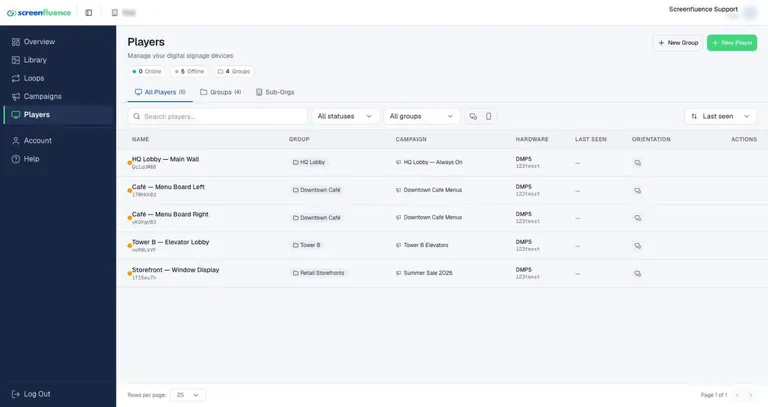
Checking player status (online/offline)
Reading the Players page — how to tell at a glance which screens are connected, what they're playing, and when a player was last seen.
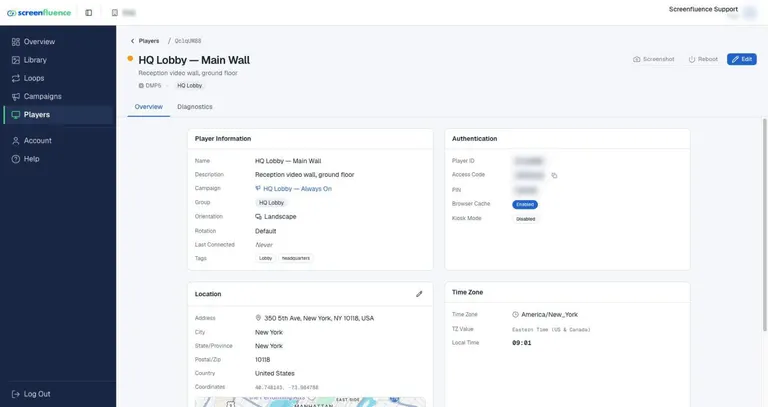
Player diagnostics & storage
The player detail page — checking what a player has downloaded, how much storage it has left, and remotely rebooting it or grabbing a screenshot of what's on screen.
What happens if your player goes offline
What your screen does when the internet drops, and how to get a player back online. The player stores your content on the device itself, so a lost connection doesn't mean a blank screen.
Need help?
Didn’t find what you were looking for? We’re here to help.
Contact us